
| Digital Competence Framework Vision Statement At Y Bont Faen Primary School we have a vision to transform teaching and learning which will equip all learners with the skills needed to live, learn and work in the 21st Century. We want to create an environment that stimulates lifelong learning, making full use of opportunities presented by technology. This will create learners who are creative, independent, resourceful, resilient thinkers who are able to adapt to all situations. To do this, we have a well-planned and digital curriculum with ICT being integral in all aspects of the curriculum. Teachers carefully plan how to use a variety of technological devices with children to improve their Literacy and Numeracy skills and raise standards of achievement for all learners across all Areas of Learning and Experience. |
Technology and the internet provide amazing opportunities for our pupils, online safety is an important part of keeping children safe at Y Bont Faen Primary. Online safety is taught to all pupils throughout the year, explaining and demonstrating how to stay safe and behave appropriately online. Hwb also has excellent advice and resources about Online Safety:
Y Bont Faen also have their Digital Council who meet every 3rd Wednesday. They have produced a video presentation on online safety for our website.
You can also see the presentation they created for an assembly on Safer Internet Day in February 2025.
Parents and Guardians may also find these three guides below on how to set up parental controls and the information posters useful:
Information Posters
Talking to your child about staying safe online
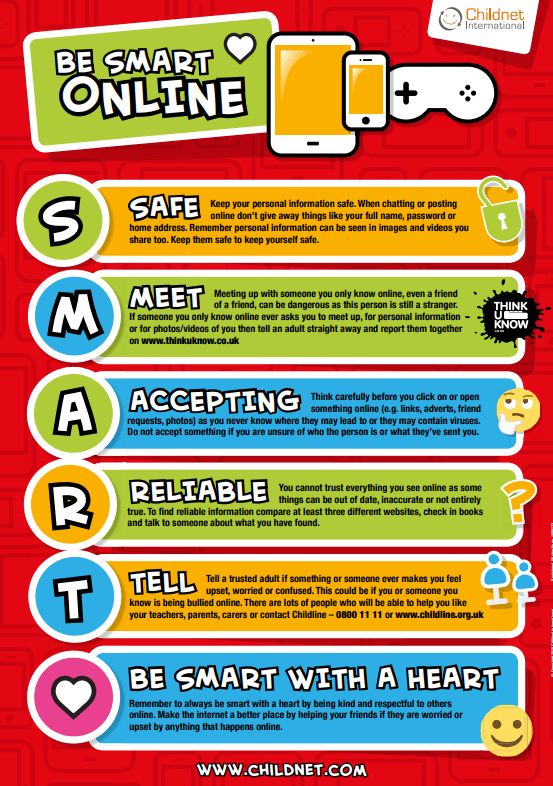
Is your child being SMART online? Talk to them about the simple advice on this poster and explore the Thinkuknow website together.
Y Bont Faen learner online etiquette for live streaming/video conferencing
Learners should:
- Log onto their session on time
- Wear appropriate clothes
- Think about the view of their camera – is it appropriate?
- Mute their microphone
- Use the raise hand function if they want to speak
- Ask a teacher or parent if you are unsure of something
- Follow the school rules – ready, respectful, safe.
Safer internet Day
Although we practise staying safe online everyday, once a year in February, we come together as a school for Safer Internet Day.
Useful websites
The Thinkuknow website has amazing resources all about how to stay safe online. Click on the following links to find out more.
The following websites also have excellent information and advice:
- Uk Safer Internet Centre has resources for parents and carers
- Childnet has lots of excellent advice and resources
- Childline has excellent advice for parents and carers
If you have any questions about online safety, please contact the school.
 Y Bont Faen Primary School Website